How to submit feedback to RARA/Wilderness
Written By Itrvl Team
Last updated 2 months ago
Summary: Learn how to flag an issue on a specific line in your itinerary using Submit Feedback in itrvl. This guide covers where to find the option, choosing the right category, and attaching supporting files. This is for Travel Designers and Operations staff who spot incorrect rates, inclusions, routing, or policy details while working on a booking.
Also known as: submit feedback, report an issue, flag a rate, wrong rate, incorrect inclusions, report error, feedback button, rate feedback, product feedback, flag line item, report incorrect pricing, data issue, report a problem
Prerequisites
You have an itinerary open in itrvl
The itinerary contains the accommodation, transit, or service line you want to give feedback on
Steps
Open the itinerary containing the line you want to give feedback on.
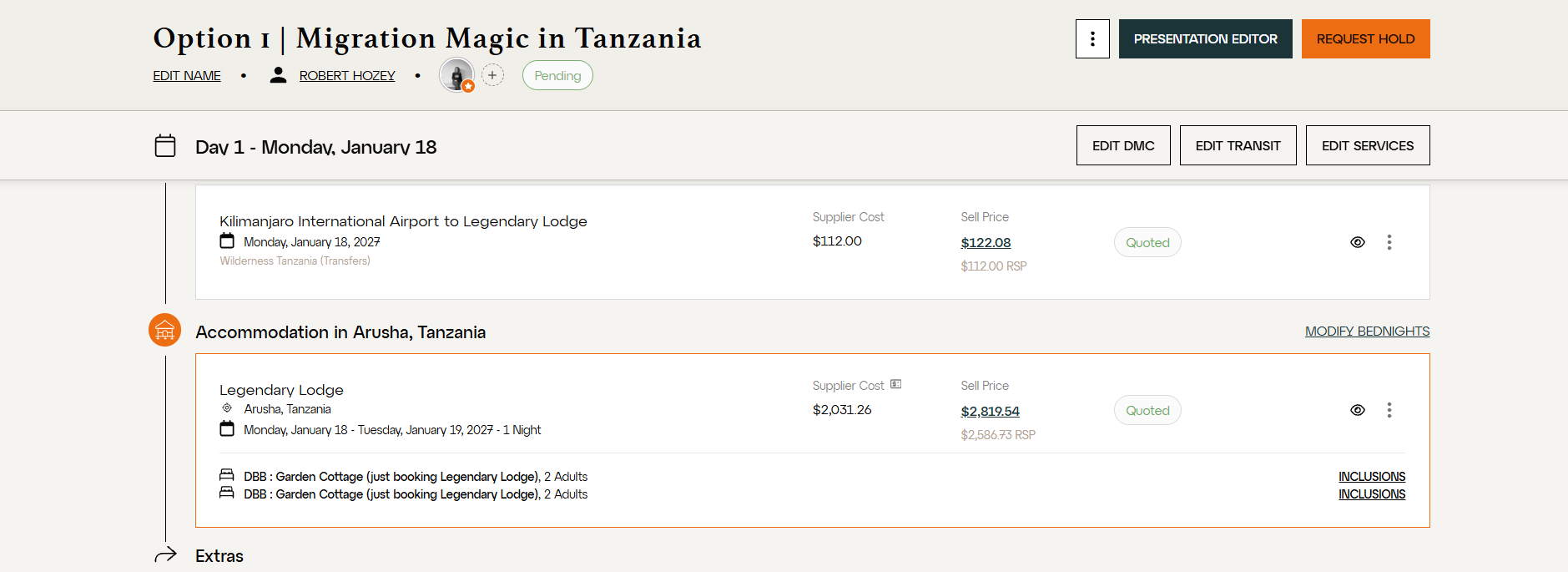
Scroll to the line item you want to flag. This can be an accommodation, a transfer, or a service.
Click the three dots at the right-hand end of that line.
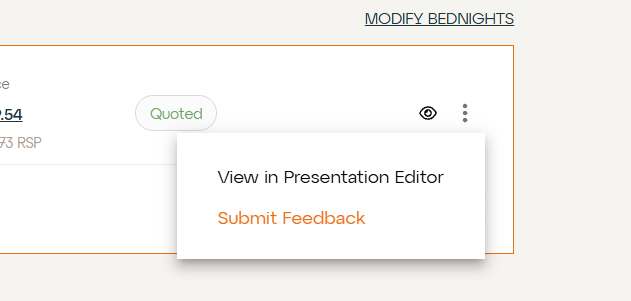
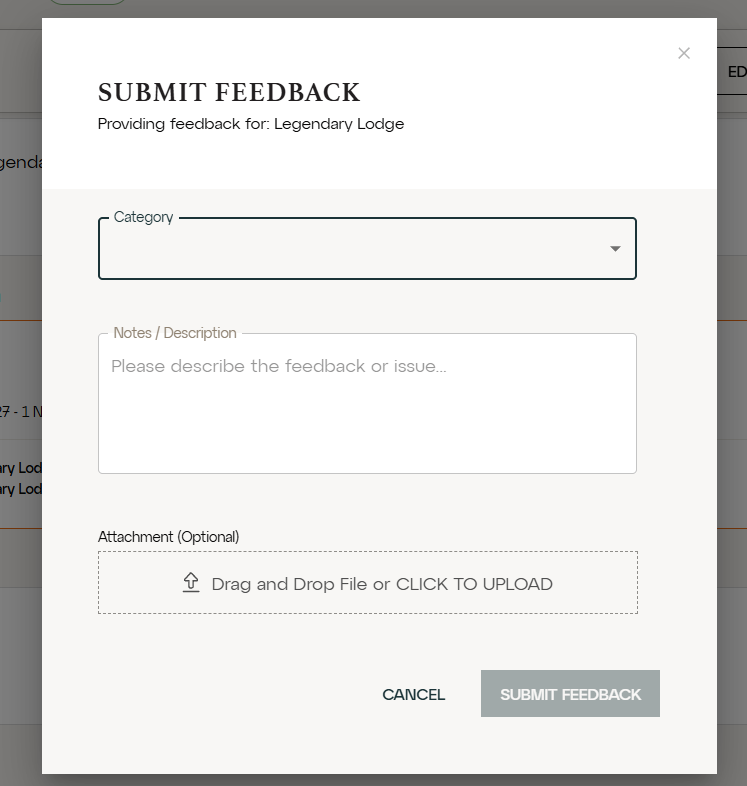
Click Submit Feedback. A modal opens, confirming which item you are providing feedback for.
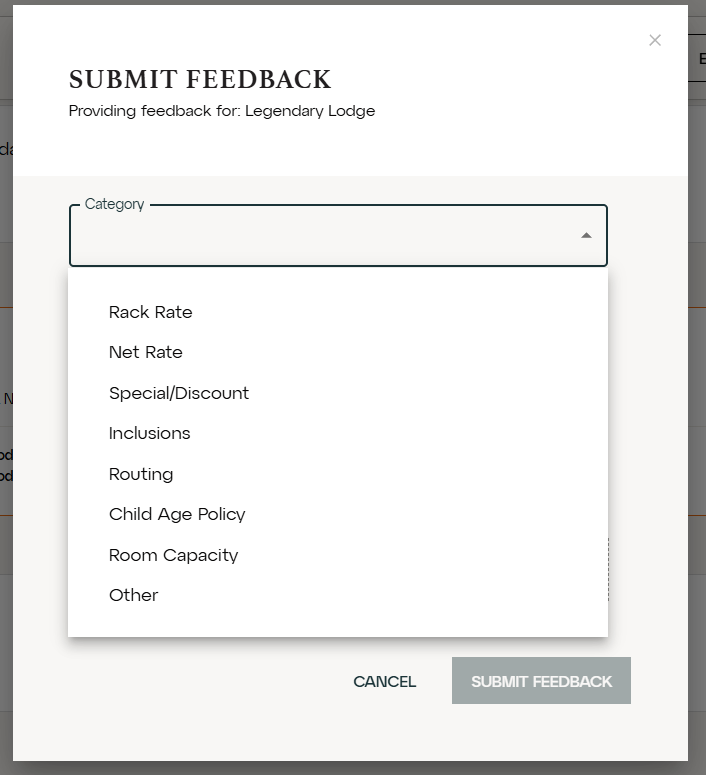
Select a Category from the dropdown. The available options are Rack Rate, Net Rate, Special/Discount, Inclusions, Routing, Child Age Policy, Room Capacity, and Other.
Describe the issue in the Notes / Description field. Include what you are seeing and what you expect it to be.
If you have a supporting file, add it under Attachment. You can drag and drop the file or click to upload.
Click Submit Feedback to send it through.
Tips & Important Notes
Feedback is tied to a specific line. Each submission relates to the item you selected. If more than one line has an issue, submit feedback separately for each one so nothing gets missed.
Be specific in the description. Where possible, state both the value you are seeing and the value you believe is correct. "Net rate shows $2,031.26 but the supplier contract quotes $1,890.00" is far quicker to action than "rate looks wrong."
Attachments speed up review. A supplier rate sheet, contract page, or confirmation email is the fastest way to evidence a pricing or inclusions discrepancy.
Related Articles
Should you notice any issues in this process, please reach out to itrvl support.