Edit Services Reimagined, the New Client Portal, and More

Here's what we're shipping this week: a brand-new way to add services to your itineraries, the redesigned client portal, and a handful of improvements across itrvl.
📬 Check your inbox: for a full visual tour of the new client portal and Edit Services, take a look at the email we sent you.
✨ What's New
Edit Services, Reimagined
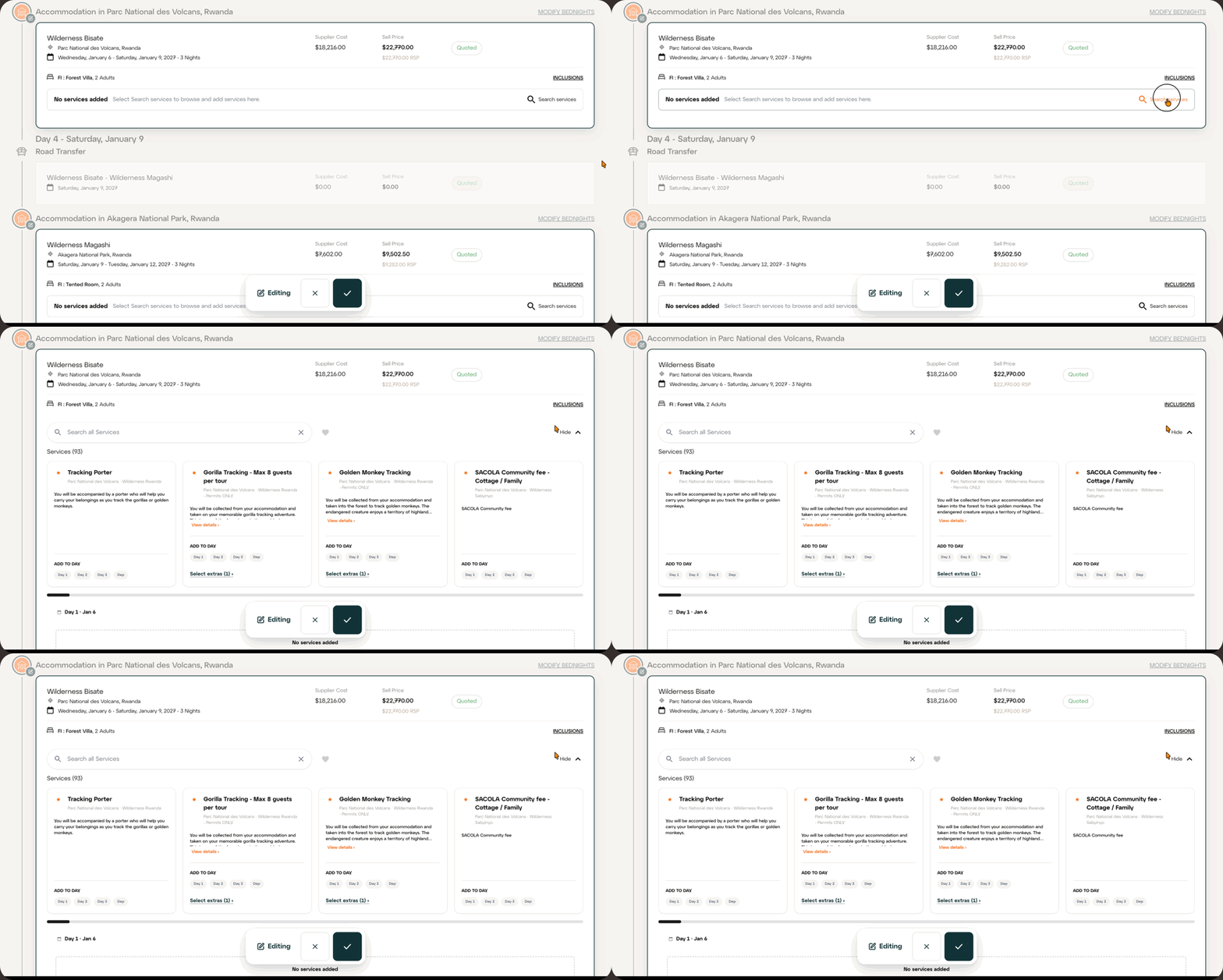
Adding services is now faster and happens right inside Trip Details. Open Edit Services and every accommodation and transit point can be edited in place, then one save covers the whole itinerary.
Smart recommendations: starred services are the most booked at each location for your traveller type (couple, family, honeymoon and more).
Preferred services: use the heart to see only your preferred services.
Extras made clear: mandatory extras are added automatically, and optional extras are clearly marked.
More detail: click View details to see photos and the full description before adding a service.
Read the full guides: Edit Services (Africa) and Edit Services (Jacada Rest of World)
The New Client Portal
The client portal has been redesigned to match the website, so your clients enjoy one consistent journey from enquiry through to booking. Highlights include brand-new accommodation profiles with header videos, room types, highlights and experiences at camp, new photo galleries, and Itinerary at a Glance. It looks great on desktop, tablet and phone.
Featured Images in Content Manager
Content Manager has a new Featured Images tab for Itinerary Header, Document Header and Document Divider images across every country and region, so it's easy to see where imagery is missing and fill the gaps.
🛠️ Improvements & Fixes
Accommodation profiles opened from an itinerary now show only the rooms booked on that stay, plus any available upgrades.
Various small improvements to payments handling.
AI Chat improvements.
As always, reach out through the support widget if anything looks off or you have questions. More to come!
